We have made this call five times and given five different answers. Here is the decision process, and the one time we got it wrong.
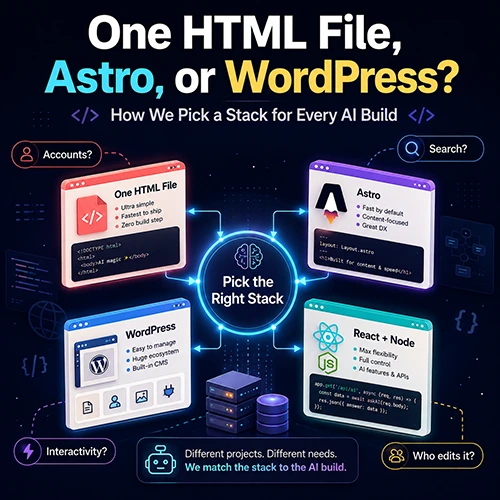
Four questions decide the stack every time. Does it need accounts? Does it need to rank in search? How much of the page is actually interactive? Who edits the content after launch? Answer those and the choice makes itself. A calculator became one HTML file. A sightings platform became Astro. A community site became WordPress. A dashboard with subscribers became React and Node. The mistake is picking your favorite tool first and reverse-engineering the reasons afterward.
How We Pick a Stack for Every AI Build – Four Questions
When AI assistance can build almost anything, the stack decision stops being about what you are capable of and starts being about what you will have to live with. Every layer you add is a thing that can break, a thing to update, and a thing to explain to whoever touches it next.
So before anything else, we answer four questions.
1. Does it need user accounts? Accounts drag in a database, sessions, password resets, and a privacy policy that actually matters. If the answer is no, an enormous amount of complexity disappears immediately.
2. Does it need to rank in search? If organic search is the growth plan, server-rendered or static HTML is not optional. A single-page app that renders everything client-side is starting a race with its shoelaces tied.
3. How much of the page is genuinely interactive? Not how much could be. How much has to be. Most pages on most sites are text that never changes after load.
4. Who edits it after launch? If the answer is only you, and only in a code editor, you do not need a content management system. If the answer is a community, or a client, or you at 11pm on a phone, you do.
The failure mode we see most often is building a full application for something that is fundamentally a document, then spending months fighting search engines for visibility you gave away on day one.
Case One: One HTML File
Used for: Hot Tip Calculator

No accounts. Heavy search dependence. Interactive, but all of that interactivity is arithmetic that runs instantly in the browser. Nobody edits it but us.
Every answer pointed the same direction, so the entire product is a single HTML file. No database, no plugins, no content management system, no theme license, no monthly platform fee. You could read the whole codebase start to finish in about twenty minutes.
That file still carries nine service categories, an experience slider, an international reference covering eighteen countries, eleven currencies, bill splitting up to twenty people, a custom percentage input, and a complete Spanish version at its own path with hreflang tags on both variants so search engines treat them as intentional language versions rather than duplicate content.
The whole thing went from blank page to live site in under 24 hours.
Choose this when: the product is one focused tool, the logic runs client-side, and you are the only person who will ever edit it.
Do not choose this when: you need more than a handful of pages, or anyone without a code editor needs to change the content.
Case Two: Astro
Used for: Paranormal Events Tracker

This one has hundreds of pages that are mostly static content, plus a handful of features that genuinely need to be dynamic: a live global map, community investigation cases, and a forensics toolkit.
That combination is exactly what Astro is for. Pages that do not need JavaScript ship without it. Pages that do get precisely the interactivity they need and nothing more. Content stays fast and indexable while the interactive corners still work properly.
The forensics toolkit is the clearest illustration. Image filters, Error Level Analysis, and size estimation all run client-side in the browser, which was a privacy decision before it was a performance one. User images never leave their machine. Meanwhile the credibility scoring runs server-side when a sighting is submitted, because it needs to weigh reporter history and corroboration against the rest of the database.
Static where it can be, dynamic where it must be, on the same site.
Choose this when: you have a lot of content pages and a few genuinely interactive features, and search matters.
Do not choose this when: non-technical people need to publish content daily, or the whole product is one interactive surface.
Match the framework to your content type, not to your resume. If the sightings platform had been built as a full single-page React app, we would have traded search visibility and initial load speed for interactivity that most of those pages never needed. The pages that need to be documents should be documents.
Case Three: WordPress
Used for: Crap Coffee
A community platform with map integration, user accounts, and a custom theme. Here the fourth question did the deciding: people other than us needed to add content, and they were never going to do it through a repository.
That is what a content management system buys you, and it is the only thing worth paying its overhead for. You inherit accounts, roles, moderation, an editor, a media library, and a plugin for nearly everything, all without building any of it.
The bill comes as weight. Updates, plugin conflicts, theme licenses, and a performance floor you have to actively defend.
Choose this when: a community or a client publishes the content, and you want accounts and moderation without building them.
Do not choose this when: you are the only author. You are taking on maintenance for features you will never use.
Case Four: A Real Application Stack
Used for: LivePeeker
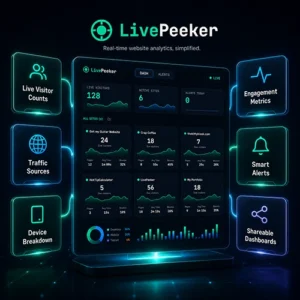
Paying subscribers, live data, and third-party authentication. There is no shortcut around a proper application when all three of those are true.
The stack: React with Vite and Tailwind on the front, Node and Express on the back, MySQL in production and SQLite locally, Socket.IO pushing live updates to the browser, node-cron polling the analytics API every 60 seconds, Google OAuth through Passport.js, and Stripe for billing.
What matters more is what we deliberately left out. No Redis. No Docker in production. No Kubernetes. No microservices. One Node process, one database, one server. For an MVP serving zero to a few hundred users, that is the whole requirement.
We also nearly provisioned an external database on Neon and Redis on Upstash before noticing that our existing hosting plan already included MySQL. Every external service you add is another account, another bill, and another thing that can fail independently.
Choose this when: you have real accounts, real payments, or real-time data. Usually all three arrive together.
Do not choose this when: you are reaching for it because it feels like what a serious product uses.
Case Five: A Canvas and a Game Loop
Used for: Orbital Ascent
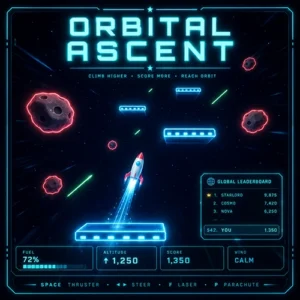
A retro rocket arcade game that runs in a browser is the one case where the four questions barely apply. There is no content to manage, nothing meaningful for search engines to index beyond a landing page, and the entire product is one interactive surface.
The stack: one HTML file. Vanilla JavaScript, no framework, no build step, no bundler. The entire game (physics, rendering, HUD, touch controls, leaderboard client) lives in a single canvas element and a single script tag. Rendering is straight 2D canvas, no WebGL, no game engine, no sprite sheets. For persistence and a global leaderboard, a small custom WordPress plugin adds a database table and a REST endpoint, and the game is embedded on the site through an iframe served as a static file from the plugin folder, which lets it fly through the CDN and page cache untouched.
What matters more is what we deliberately left out. No React. No Phaser or Three.js. No asset pipeline. No sound library. No accounts, no login, no session state. The plugin does not use custom post types or the options table for scores, just one purpose-built table and one endpoint. For a self-contained arcade game, anything more is friction between the player and the fun.
We briefly considered building it as a React app, dropping in a physics library, and hosting the leaderboard on a serverless function talking to a managed database. All of that would have worked. None of it would have shipped faster or played better, and every one of those choices would have added a build step, a bill, or an account to manage.
Choose this when: the product is the interaction. Games, visualizers, drawing tools, anything where the screen is the whole point.
Do not choose this when: you need accounts, payments, or content that changes without a developer touching a file.
The Decision in One Table
| If your project is | Reach for | Because |
|---|---|---|
| One focused tool, no accounts | A single HTML file | Nothing to maintain, nothing to update, loads instantly, costs a domain |
| Many content pages, some interactivity, search matters | Astro | Ships JavaScript only where it is needed, keeps content indexable |
| Other people publish the content | WordPress | Accounts, roles, moderation, and an editor you did not have to build |
| Subscriptions, live data, third-party auth | React and Node | No way around a real application when money and sessions are involved |
| The interaction is the product | Canvas and a loop | Nothing to index, nothing to manage, the screen is the whole thing |
What We Got Wrong
Honest pass, as always.
We optimized for the wrong environment. Part of the SaaS build happened on a 2017 iMac, and Docker and MySQL issues on that machine ate hours that had nothing to do with the product. Your development environment is part of your stack decision whether you treat it that way or not.
We picked the platform before asking question four, more than once. The right sequence is to work out who edits the thing after launch and let that answer narrow the field. Reaching for a familiar tool first and justifying it afterward is a very easy habit to fall into.
Mobile came last on the most complex build. The forensics toolkit works on a phone but was never designed for one. Filter sliders and side-by-side image comparison genuinely want a larger screen, and that is a design decision we made implicitly by not making it at all.
Pick the Boring One
The pattern across all five projects is that the least impressive answer was usually correct.
One HTML file beat a platform. A static site generator beat a single-page app. One server beat a service mesh. Nothing on this list would look good on a conference slide, and every one of them is still running.
When building is cheap, restraint is the actual skill.
- Four questions decide it. Accounts, search, real interactivity, and who edits after launch. Answer those honestly and the stack picks itself.
- Who edits it is the most underrated question. It is the single factor that most often forces a content management system, and the one people ask last.
- A single HTML file is a real architecture. It is not a prototype or a shortcut. For a focused tool it is the correct answer.
- Ship JavaScript only where it earns its place. Most pages are documents. Treating them as applications costs you search visibility for nothing.
- Use the infrastructure you already pay for. Check your existing hosting before provisioning anything external.
- Leave things out on purpose. No Redis, no Docker in production, no microservices. Complexity should be forced on you by success, not chosen in advance.
- Your machine is part of the stack. An older development environment will veto choices you assumed were free.
⊕ Read more AI inspired posts on our AI Blog
⊕ Check out the latest AI News
About the Author: Gavin Stacey